



When it’s time to park, have you ever wondered why different types of parking? Thanks to Autodesk Vehicle Tracking, we can make the right decision adapted to each specific parking space.
What is Autodesk Vehicle Tracking?
As its name indicates, it is an Autocad Civil 3D extension that allows us to analyze the trajectory of the path of a vehicle that we can select according to the regulations of a particular country or give it particular characteristics and dimensions. Knowing the trajectories is of vital importance in the projects carried out by the Transportation Engineering section of Civile.

Vehicle Tracking focused on parking
In this entry we will go deeper into a less used function of this extension, which is the design of parking spaces. With it is very easy to check how the different orientations of a vehicle allow to increase or decrease the number of available parking spaces.
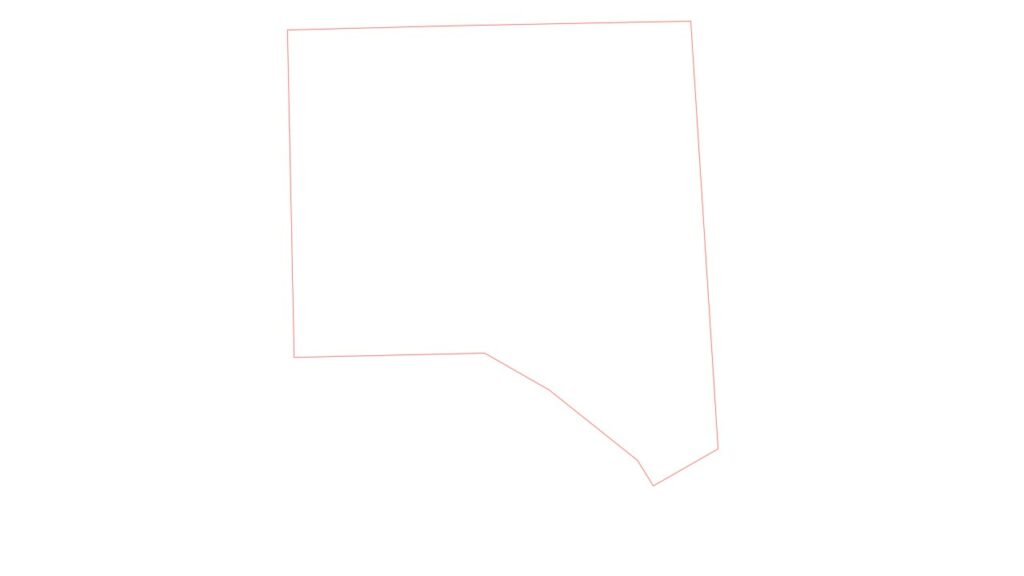
Next, we will explain by means of an example how the number of parking spaces increases depending on the orientation given for a margin of a generic plot.
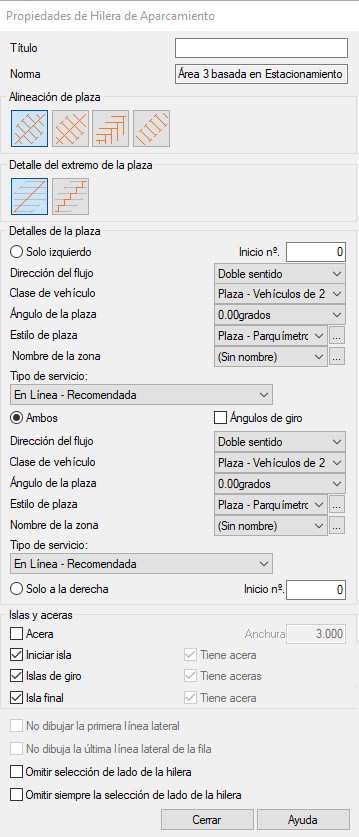
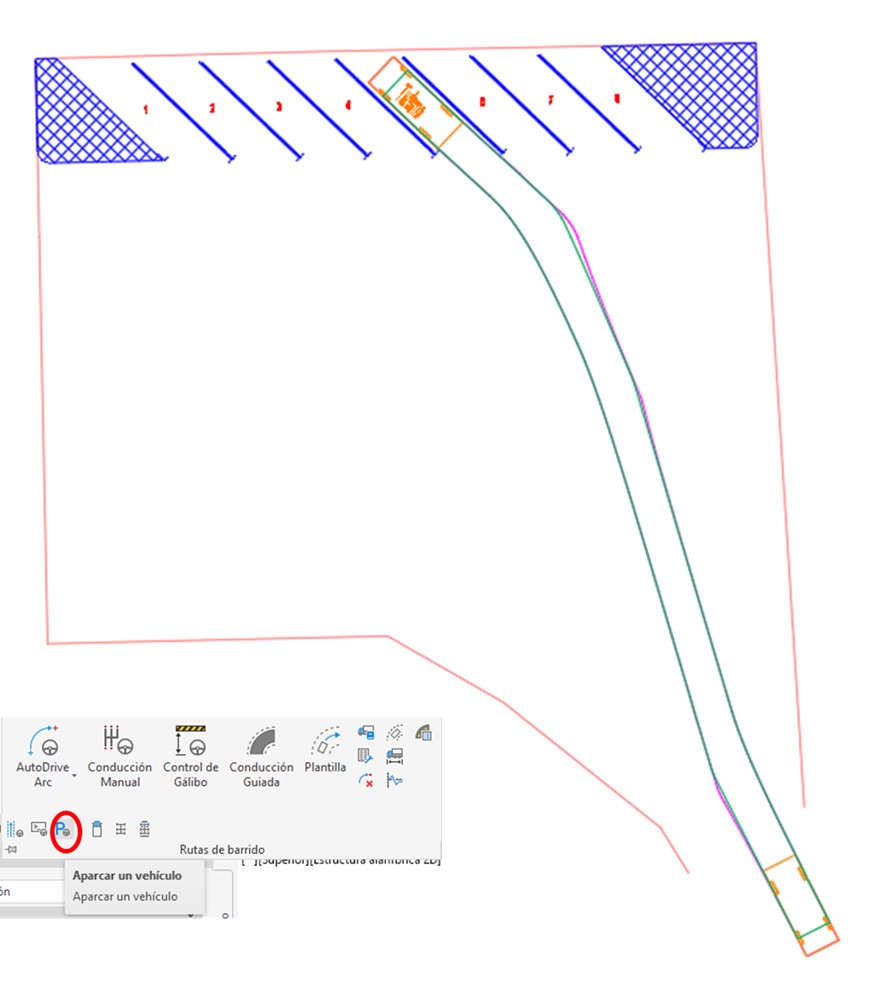
To create a new row of parking lots, select the following menu within the Autodesk Vehicle Tracking extension.

Selecting “Create new row” opens the following menu, where you can change different aspects such as the type of vehicle you want to park (this will determine the width of the parking space), the angle of the parking space (this drop-down menu allows you to rotate the parking space by the degrees you want), style (parking for loading and unloading, motorcycles, people with reduced mobility, families…) or even if you want to place islands or sidewalks. These characteristics can be modified at any time.
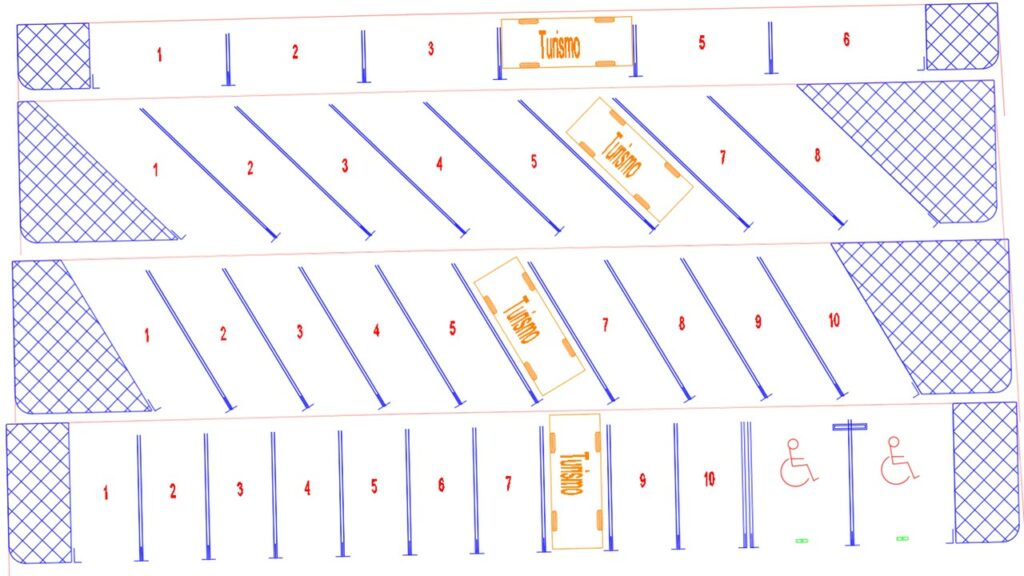
Continuing with the example, the following orientations have been tested: parallel parking, oblique battery (with an orientation of 45 and 60 degrees) and battery, with the following results.
Once the most convenient orientation has been decided, the trajectory that the vehicle would take to park can be simulated; in this case, a passenger car has been selected as the typical vehicle and the trajectory it would take is as follows:
Actual application
In CIVILE we have faced the problem of how to optimize a parking lot, specifically, a newly built building to park some vehicles provided by the client.
The optimization work had several phases. First, different orientations for parking the vehicles were tested in order to check at which inclination the largest number of vehicles could be parked. Next, a simulation was made of the route that the vehicle would take when parking, shown in blue in the following image.
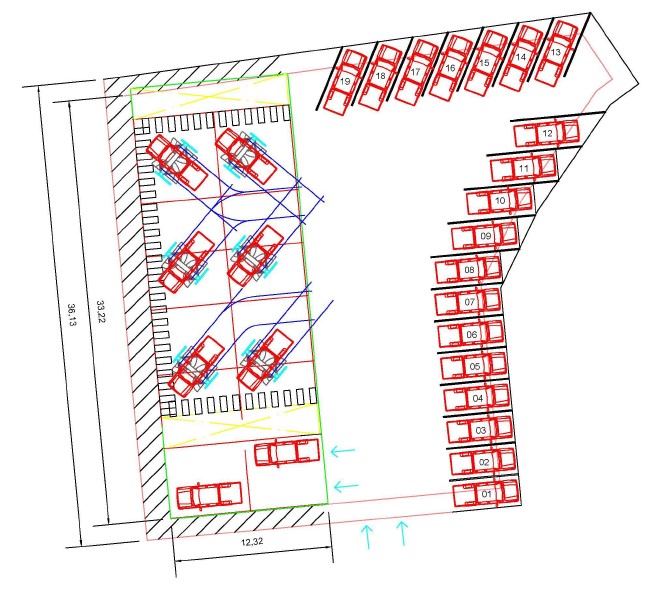
Thanks to this simulation, it was possible to verify that it was necessary to move one of the pillars, since the type vehicle would collide with it, and the foundation plan was optimized thanks to this preliminary study.
Written by:
Almudena Martín Ginés
Civil Engineer
Area of Civil Engineering